


Vedic transits
Vedic transits, or Gochara, compare the moving planets with your birth chart. Mạghā shows positions for a chosen moment and searches for contacts, ingresses and stations. Keep the selected date and time with every result.
The natal ascendant fixes the default house count
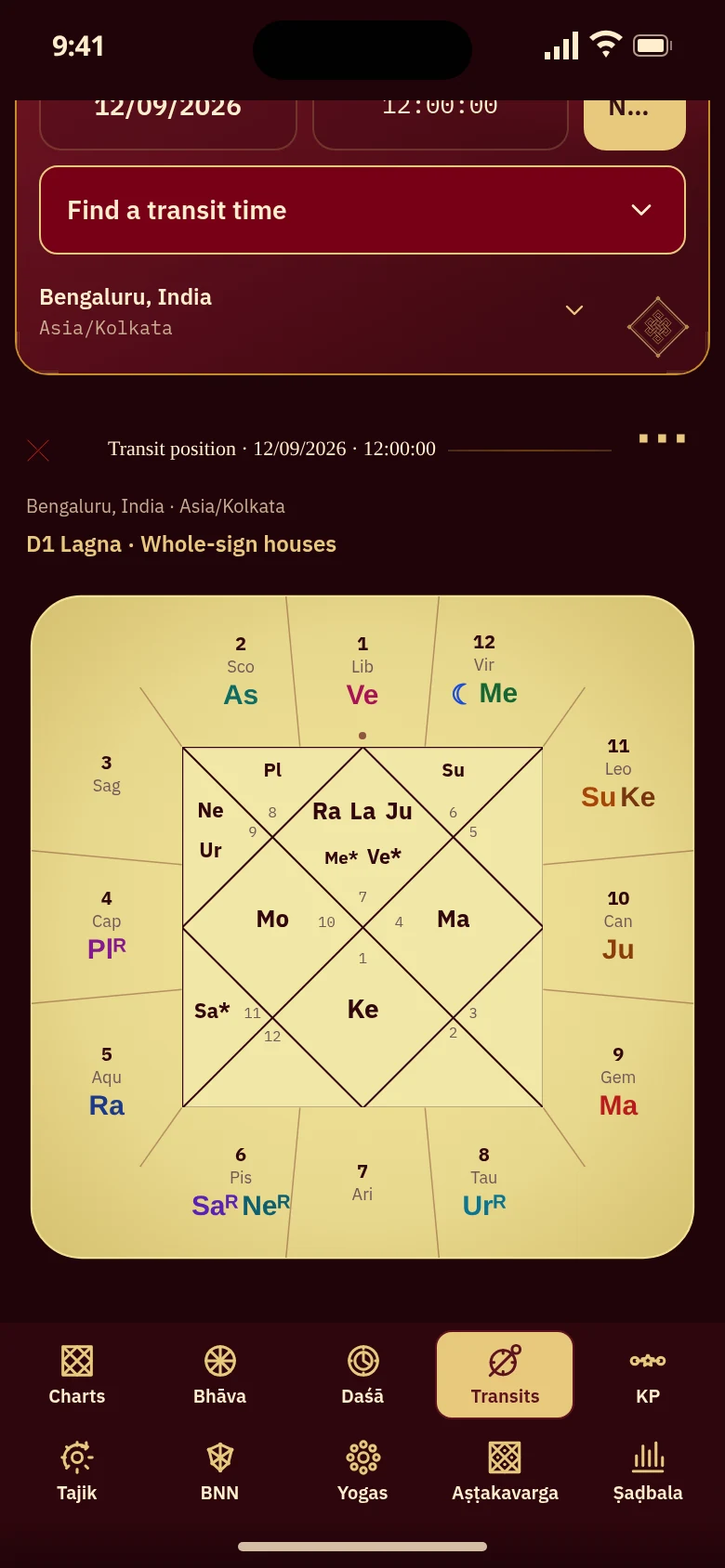
The web transit chart counts whole-sign houses from the natal Lagna. Nila's Libra ascendant makes Virgo house 12 and Pisces house 6. At noon IST on 12 September 2026 in Bengaluru, the Moon at Virgo 9.48° falls in her twelfth house, and retrograde Saturn at Pisces 18.74° in her sixth. The transit moment's own ascendant does not replace that fixed natal reference.

Search for a contact instead of trying dates
Transit search distinguishes exact longitude contacts, house entries and sign or nakṣatra entries. Search forward or backward over 30 or 100 years; Android's Advanced builder also accepts a date range. Results leave the displayed chart unchanged until you select an occurrence and choose Open in Transits. The time identifies the astronomical condition you requested; it does not assign a personal outcome.

Choose the moment and place before reading the chart
Transits opens at the current moment and saved location, falling back to the birthplace. Change the moment or location, then check the dated Transit position heading. Zodiac and ayanāṁśa settings affect the calculation. The preview uses Nila's chart at a fixed Bengaluru moment: 12 September 2026, noon IST. In the full app you can choose another sky; transits, like all astrology features, are free for life.

A station and an ingress describe different changes
A station is a turn between direct and retrograde motion; an ingress is entry into a sign or nakṣatra. Either can be searched on Android through Advanced transit. A planet can enter a region in either direction. The natal Planets ledger marks near-station motion as Stationary with Retro or Direct, as in Nila's Venus example; the transit chart itself does not show that badge.
Keep the selected moment across the transit views
Android's Transit view switches between Chart, Sarvatobhadra and Kota while keeping the chosen moment. The web offers Chart and Kota, with Sarvatobhadra on its own tab. The mobile preview retains Nila's natal Lagna reference and the printed sample date. Use the chart to inspect an instant or Find a transit time to locate a contact, then examine the resulting positions together.
Questions about reading a transit chart
How is a transit chart different from a birth chart?
A birth chart records the sky for your birth time and place. A transit chart calculates positions for another selected moment. Mạghā's web Transits chart places those moving planets in whole-sign houses counted from your natal Lagna, so you can compare another sky with the same birth reference.
Does the preview show today's transits?
It shows 12 September 2026 at 12:00 IST in Bengaluru, using Nila Raman’s chart. Your own saved chart opens the Transits tab at the current moment and lets you choose another time and place. The date above the calculated chart identifies which moment you are reading.
Can I find the date a planet reaches my natal Moon?
Yes. In transit search, choose a precise natal Moon target and the moving planet, then search in the direction you want. An exact contact with the Moon's degree differs from a sign-based aspect onto its sign. Select an occurrence and use Open in Transits to inspect its chart.
Does Stationary mean the planet has zero speed?
The natal ledger's Stationary label means the calculated speed meets Mạghā's near-station convention for that planet. Retro or Direct gives its current direction. Use Planet station in the search to find the turn's instant; the natal badge alone does not identify that exact moment.
See transits against your own birth chart
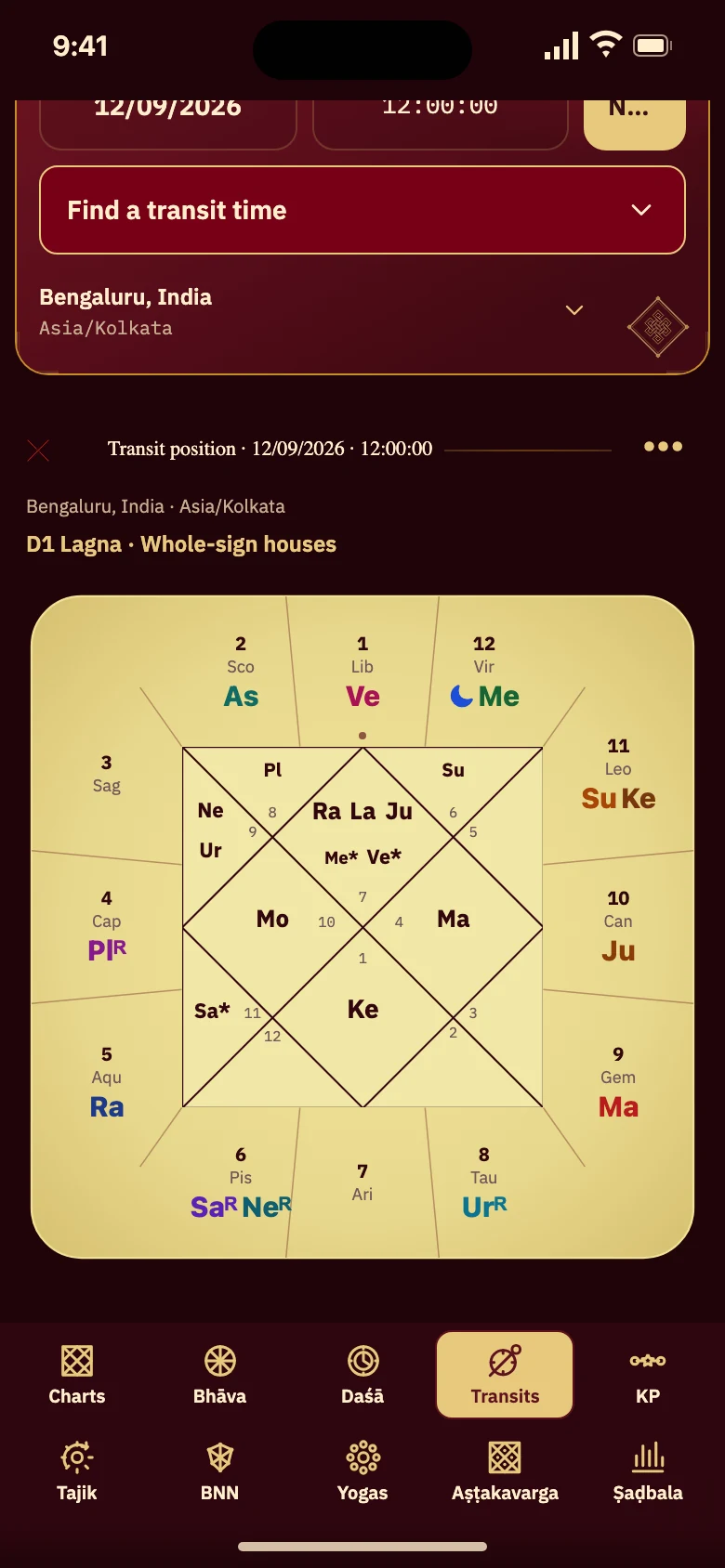
Follow Nila Raman’s chart to the transit chart for 12 September 2026, 12:00 IST, Bengaluru. Open your own saved chart to choose another moment.
Open your Transits tab